
Choosing the best garden design software can simplify planning your outdoor space. These tools help you create beautiful gardens with ease and accuracy.
Garden design software lets you visualize ideas before planting. Many programs offer 2D and 3D views to see your garden from different angles. Some software also includes house and landscape features, making it easier to plan your entire property. You can find options that work on Windows and other systems.
Whether you want a simple planner or advanced tools, there is software to fit your needs. Popular choices like Garden Planner, DreamPlan, and Punch! Home & Landscape Design provide various features for beginners and experts. This guide will help you understand which software suits your garden style and project size.
Garden Planner
![Garden Planner [Download]](https://m.media-amazon.com/images/I/81FSsg57QEL._SL500_.png)
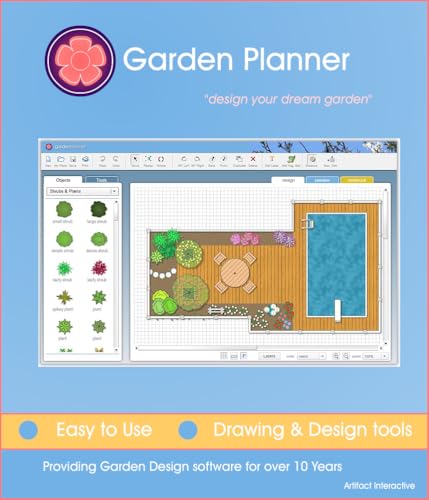
The Garden Planner [Download] is ideal for gardening enthusiasts, landscape designers, and homeowners who want to efficiently plan and visualize their outdoor spaces. Whether you’re a beginner looking to organize your garden layout or an experienced gardener aiming to optimize plant placement, this tool offers a user-friendly solution to help you achieve your gardening goals.
Pros:
- Intuitive drag-and-drop interface for easy garden design
- Extensive plant and object library to customize layouts
- Supports planning for various garden types and sizes
- Downloadable software with offline access
- Version 3.5 includes improved features and enhanced usability
Cons:
- Limited to desktop use, no mobile app available
- May require some time to learn advanced features
Developed by Artifact Interactive, the Garden Planner [Download] Edition 3.5 offers a comprehensive set of tools that allow users to create detailed garden designs effortlessly. Its rich library of plants, trees, and garden objects helps users visualize the final layout, ensuring that every element fits perfectly within the available space. The drag-and-drop functionality simplifies the design process, making it accessible even for those with minimal technical skills.
Beyond just design, this software aids in planning seasonal planting and garden maintenance by allowing users to map out their garden with precision. The ability to download and use the software offline means gardeners can work on their plans anytime, without worrying about internet connectivity. Overall, the Garden Planner [Download] is a versatile tool that enhances creativity and efficiency in garden planning, making it a valuable asset for anyone looking to cultivate a beautiful and well-organized outdoor space.
3d Cad Architecture 11
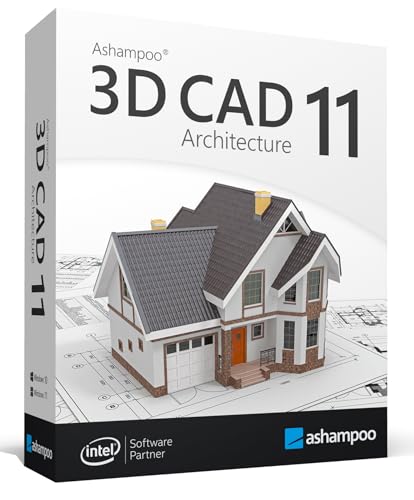
The 3-D CAD Architecture 11 software is ideal for homeowners, architects, and DIY enthusiasts who want to design and visualize their house, garden, balcony, or even photovoltaic installations. This software is perfect for users running Windows 10 or 11 who need a versatile tool to create detailed 2D and 3D objects for their projects with ease and precision. Whether you are planning a renovation or a new build, this design software can help bring your ideas to life.
Pros:
- Comprehensive design tools for house, garden, balcony, photovoltaic, and walls
- Supports both 2D and 3D modeling for accurate visualization
- Compatible with Windows 10 and 11 operating systems
- Developed by trusted brand Markt + Technik
- User-friendly interface suitable for both beginners and professionals
Cons:
- May require a learning curve for users new to CAD software
- Advanced features might be overwhelming for casual users
- Limited to Windows platforms, not available for Mac or Linux
The 3-D CAD Architecture 11 software offers a robust set of features designed to simplify complex architectural designs. With its ability to handle both 2D and 3D objects, users can create detailed floor plans and realistic visualizations that help in making informed design decisions. The inclusion of tools for photovoltaic and garden design also allows users to incorporate energy-efficient and outdoor elements seamlessly into their projects.
Developed by the reputable Markt + Technik, this software ensures reliable performance and continuous updates to support the latest Windows operating systems. The intuitive interface allows users to quickly adapt and maximize their creativity, making it a valuable asset for both personal and professional architectural projects. Overall, this tool empowers users to transform their architectural visions into tangible plans with precision and ease.
Dreamplan Home Design And Landscaping Software
![DreamPlan Home Design and Landscaping Software Free for Windows [PC Download]](https://m.media-amazon.com/images/I/51kvZH2dVLL._SL500_.jpg)
The DreamPlan Home Design and Landscaping Software Free for Windows is ideal for homeowners, DIY enthusiasts, and beginner architects who want to visualize and plan their home improvement projects with ease. This software caters to those looking for an intuitive and accessible tool to create detailed floor plans, landscaping designs, and interior layouts without the need for professional expertise. If you’re aiming to bring your home design ideas to life on your PC, this free edition by NCH Software is an excellent starting point.
Pros:
- Easy-to-use interface suitable for beginners and hobbyists
- Comprehensive design tools for both home interiors and landscaping
- Free to download and use on Windows PCs
- Allows for 3D visualization to better understand design layouts
- Supports detailed customization to personalize designs
Cons:
- Limited advanced features compared to professional-grade software
- Occasional performance lag on lower-end PCs
- Only available for Windows, no Mac or mobile versions
The DreamPlan Home Design and Landscaping Software offers a robust set of features that enable users to craft precise floor plans, customize interior designs, and plan outdoor spaces like gardens and decks. Its visual tools include drag-and-drop functionality, a rich object library, and the ability to switch between 2D and 3D views, making the design process interactive and engaging. This flexibility benefits users by allowing them to experiment with different layouts and aesthetics before any physical work begins, reducing costly mistakes and enhancing creativity.
Additionally, the software’s focus on accessibility means users don’t need prior design experience to start planning their dream home or landscape. The free edition by NCH Software ensures that budget-conscious users can access powerful design tools without financial commitment, making it ideal for personal projects or initial concept development. While it may lack some of the more advanced features found in premium software, its balance of functionality and ease-of-use provides significant value for everyday users.
Punch! Home & Landscape Design Premium
![Punch! Home & Landscape Design Premium v20 [Download]](https://m.media-amazon.com/images/I/A1qRleE1d4L._SL500_.jpg)
The Punch! Home & Landscape Design Premium v20 [Download] is ideal for homeowners, DIY enthusiasts, and professional designers looking for a comprehensive and easy-to-use software solution to create detailed home and landscape plans. If you want to visualize renovation projects, garden layouts, or interior designs before starting, this software is perfect for bringing your ideas to life with precision and creativity.
Pros:
- Intuitive user interface designed for both beginners and professionals
- Extensive library of design templates and landscaping objects
- High-quality 3D rendering for realistic project visualization
- Customizable floor plans with detailed measurement tools
- Instant download access for quick installation and use
Cons:
- Requires a relatively powerful computer for smooth 3D rendering
- Some advanced features may have a learning curve for new users
- No mobile app version available
The Punch! Home & Landscape Design Premium v20 stands out with its robust feature set that supports both home interior and exterior design projects. Users benefit from a vast selection of customizable templates and landscaping components, allowing for highly personalized designs. The software’s real-time 3D rendering capability helps users visualize their projects in stunning detail, making it easier to make design decisions before committing to actual construction or landscaping work.
Additionally, the software is designed to streamline the entire design process with precise measurement tools and an intuitive interface. This means users can create accurate floor plans and garden layouts without needing extensive technical knowledge. Being a downloadable product from Encore Software, LLC ensures quick access and reliable performance, making it an excellent choice for anyone serious about home and landscape design.
Punch! Home & Landscape Design Premium V19
![Punch! Home & Landscape Design Premium v19 - Home Design Software for Windows PC [Download]](https://m.media-amazon.com/images/I/B1MRV7v76kS._SL500_.jpg)
The Punch! Home & Landscape Design Premium v19 is ideal for homeowners, DIY enthusiasts, and professional designers looking to create detailed and visually appealing home and garden plans. If you want to bring your architectural ideas to life on a Windows PC with an intuitive yet powerful tool, this software is perfect for you. Whether planning renovations or building from scratch, it suits users who value comprehensive design features combined with ease of use.
Pros:
- Intuitive drag-and-drop interface for easy design creation
- Extensive library of customizable templates and materials
- Advanced 3D visualization to preview designs realistically
- Includes both home and landscape design tools in one package
- Compatible with Windows PC and available as a convenient download
Cons:
- Only available for Windows, limiting Mac users
- Premium edition might have a learning curve for beginners
- Requires a relatively powerful PC for smooth 3D rendering
The Punch! Home & Landscape Design Premium v19 offers a rich set of features that allow users to design every aspect of their home and outdoor space in detail. Its drag-and-drop functionality simplifies the process of adding walls, windows, furniture, and landscaping elements, making it accessible for both novices and seasoned designers. The software’s comprehensive template library gives users a head start, while customization options ensure every project feels personal and unique.
One of the standout benefits is its powerful 3D visualization capabilities, which let users walk through their designs virtually. This feature helps in making more informed decisions about layout, materials, and aesthetics before actual construction begins. Additionally, integrating home and landscape design tools in one software streamlines the entire planning process, saving time and effort. Overall, the Encore Software, LLC branded Premium edition is a robust solution for anyone serious about home design on a Windows PC.
Punch! Home & Landscape Design Professional V21
![Punch! Home & Landscape Design Professional v21 - Windows [PC Download]](https://m.media-amazon.com/images/I/51Mg05gZyDL._SL500_.jpg)
The Punch! Home & Landscape Design Professional v21 is ideal for homeowners, interior designers, and landscaping professionals who want to create detailed and realistic 3D home and garden designs on their Windows PC. This software is perfect for those seeking an intuitive yet powerful tool to visualize remodeling projects, landscape layouts, or interior decorating ideas before making any physical changes.
Pros:
- Comprehensive design tools for both home and landscape projects
- Realistic 3D rendering to visualize designs in detail
- User-friendly interface suitable for beginners and professionals
- Extensive library of customizable objects and materials
- Compatible with Windows PCs as a convenient digital download
Cons:
- Requires a relatively powerful PC for smooth 3D rendering
- Steeper learning curve for users new to design software
- Limited support for Mac users
The Punch! Home & Landscape Design Professional v21 offers an impressive suite of features that allow users to design everything from interior floor plans to outdoor landscaping with precision and creativity. The software includes advanced tools for creating detailed blueprints and photo-realistic 3D models, helping users visualize their projects clearly before implementation. This reduces costly mistakes and enhances project planning efficiency.
Additionally, the vast library of customizable furniture, plants, and building materials lets users experiment with different styles and layouts, fostering creativity. Its powerful rendering engine provides immersive walkthroughs, making it easier to communicate design ideas with clients or family members. Overall, this software is a valuable asset for anyone serious about home and landscape design.
Home Design 3d Outdoor & Garden
![Home Design 3D Outdoor & Garden [Download]](https://m.media-amazon.com/images/I/41qhxiu7HCL._SL500_.jpg)
The Home Design 3D Outdoor & Garden [Download] is perfect for homeowners, landscape designers, and garden enthusiasts who want to visualize and plan their outdoor spaces with ease. If you are looking to creatively design your garden, patio, or backyard without professional help, this software offers an accessible and user-friendly solution. Ideal for both beginners and experienced users, it allows you to bring your outdoor design ideas to life in a detailed 3D environment.
Pros:
- Intuitive drag-and-drop interface for easy design creation
- Comprehensive library of outdoor furniture, plants, and landscaping elements
- Ability to view projects in 3D for realistic visualization
- Downloadable software with no need for continuous internet connection
- Suitable for both amateur gardeners and professional designers
Cons:
- Limited advanced customization options in the Standard Edition
- Learning curve for users unfamiliar with design software
- Some features may require additional purchases or upgrades
Developed by Anuman Interactive, the Home Design 3D Outdoor & Garden software offers a robust platform that allows users to create detailed outdoor layouts. Its extensive library includes a variety of plants, trees, and outdoor furniture, enabling users to customize their garden space to their liking. The drag-and-drop functionality simplifies the design process, making it accessible even to those with no prior experience in design software. The ability to switch between 2D and 3D views helps users better understand spatial arrangements and the overall look of their garden.
This downloadable software edition ensures that users can work offline without interruptions, which is especially beneficial for those who prefer to design without internet dependency. While the Standard Edition covers most basic needs, users seeking more advanced tools might consider upgrading. Overall, the software enhances creativity and efficiency in planning outdoor spaces, making it a valuable tool for anyone passionate about garden design.
Punch! Home & Landscape Design 17.7
![Punch! Home & Landscape Design 17.7 Home Design Software for Windows PC [Download]](https://m.media-amazon.com/images/I/51TlgUnSk6L._SL500_.jpg)
Ideal for homeowners, DIY enthusiasts, and professional designers seeking an intuitive yet powerful tool, Punch! Home & Landscape Design 17.7 is perfect for those wanting to create detailed and customized home and garden plans on their Windows PC. This software suits users who prefer a downloadable solution to design interiors, exteriors, and landscapes with ease.
Pros:
- Comprehensive tools for both home and landscape design
- User-friendly interface with drag-and-drop functionality
- Includes a vast library of customizable objects and materials
- Supports detailed 3D visualization and walkthroughs
- Efficient performance optimized for Windows PC
Cons:
- Limited to Windows OS; no Mac version available
- Steeper learning curve for beginners unfamiliar with design software
- Some advanced features require additional purchase or upgrades
Punch! Home & Landscape Design 17.7 offers a versatile platform combining both home interior and landscape design capabilities. Users can plan and visualize their projects in high-resolution 3D, enabling precise adjustments and creative freedom. The extensive object library allows for realistic customization, from furniture placement to garden layouts, making it easier to see how different elements will look in the final design.
With tools tailored for both novices and professionals, the software balances ease of use with powerful features. The drag-and-drop interface streamlines the design process, while the downloadable format ensures quick installation and updates on any compatible Windows PC. Overall, this software enhances project accuracy and creativity, helping users bring their home and outdoor visions to life efficiently.
Punch! Home & Landscape Design Essentials
![Punch! Home & Landscape Design Essentials v19 for Windows PC [Download]](https://m.media-amazon.com/images/I/A1MrG0EQjXL._SL500_.jpg)
The Punch! Home & Landscape Design Essentials v19 for Windows PC [Download] is an ideal choice for homeowners, DIY enthusiasts, and amateur designers looking to create detailed and professional-quality home and landscape plans. If you want an easy-to-use yet powerful software to visualize your renovation, remodeling, or landscaping projects, this product is tailored for you.
Pros:
- User-friendly interface suitable for beginners and intermediate users
- Comprehensive design tools for home interiors and landscape planning
- Downloadable format ensures quick and convenient installation
- Accurate 3D modeling to visualize projects realistically
- Supports detailed customization of rooms, furniture, and outdoor elements
Cons:
- Available only for Windows PC, limiting cross-platform use
- May have a learning curve for users unfamiliar with design software
- Some advanced features reserved for higher-end versions
The Punch! Home & Landscape Design Essentials v19 offers an extensive set of tools that enable users to design floor plans, create custom interiors, and plan landscapes with precision. Its intuitive drag-and-drop functionality allows users to place objects easily, making the design process smooth and efficient. The software’s rich library of materials and objects helps in creating realistic visualizations, which is essential for making informed decisions before starting actual construction or landscaping work.
Beyond its design capabilities, this software provides significant benefits by helping users save time and reduce costly errors. By visualizing the home and outdoor spaces in 3D, users can experiment with different layouts and styles to find the perfect fit. The downloadable format from Encore Software, LLC ensures quick access and installation, allowing users to get started on their projects without delay.
Kyoto Gardens

The Kyoto Gardens is an ideal choice for individuals who appreciate the beauty of traditional Japanese aesthetics and seek to bring a touch of tranquility into their living or workspaces. Perfect for art collectors, interior decorators, and anyone interested in cultural decor, this item offers a unique blend of craftsmanship and delicate design.
Pros:
- Crafted by Mercury Software Japan Inc, ensuring authentic quality and design.
- Lightweight at just 0.110231131 pounds, making it easy to place and move.
- Compact dimensions suitable for various spaces without overwhelming the area.
- Brings a serene and elegant ambiance inspired by traditional Japanese gardens.
Cons:
- Limited to decorative use, not functional beyond aesthetic appeal.
- May require careful handling due to delicate craftsmanship.
- Specific style might not blend with all interior themes.
The Kyoto Gardens embodies exquisite artistry from Mercury Software Japan Inc, combining delicate design with lightweight materials. This ensures that users can effortlessly incorporate the piece into their environment, enhancing the atmosphere without the burden of heavy decor. Its subtle presence adds an element of sophistication and calm, reflecting the essence of traditional Japanese culture.
Beyond its aesthetic charm, the item’s compact size and authentic craftsmanship make it a versatile piece for a variety of settings, from homes to offices. Users benefit from the peaceful and inspiring environment that Kyoto Gardens helps create, promoting relaxation and mindful appreciation of beauty in everyday life.
Frequently Asked Questions
What Is The Best Garden Design Software?
The best garden design software varies by user needs. Popular choices include Garden Planner, DreamPlan, and Punch! Home & Landscape Design. These programs offer tools for creating intricate garden layouts. Features like 3D visualization and user-friendly interfaces enhance the design experience.
Choose based on your specific garden planning requirements.
How Does 3d Cad Architecture Benefit Garden Design?
3D CAD Architecture 11 provides detailed garden designs with 2D and 3D objects. It offers tools for adding elements like plants, walls, and photovoltaic systems. The software enhances visualization, making it easier to plan and adjust layouts. Its compatibility with Windows 11 and 10 ensures wide accessibility for users.
Can I Use Dreamplan For Landscape Design?
Yes, DreamPlan Home Design and Landscaping Software is ideal for landscape design. It includes features for creating detailed outdoor layouts. Users can easily add plants, furniture, and other elements. The software’s intuitive interface makes it suitable for beginners and advanced designers.
It’s available for free download on Windows PCs.
Is Punch! Home & Landscape Design User-friendly?
Punch! Home & Landscape Design is known for its user-friendly interface. It offers drag-and-drop tools for easy design. Users can create detailed home and garden layouts without technical expertise. The software provides a comprehensive library of objects, making customization simple.
It’s a great choice for both novices and experts.
Does Home Design 3d Outdoor & Garden Support Customization?
Yes, Home Design 3D Outdoor & Garden supports extensive customization. Users can create personalized garden layouts with various design elements. The software includes features for adjusting dimensions, colors, and styles. Its user-friendly interface makes customization straightforward. This flexibility helps users bring their unique garden visions to life.
Conclusion
Choosing the right garden design software can make planning your outdoor space easier and fun. The options like Garden Planner, DreamPlan, and Punch! Offer tools to create detailed 2D and 3D designs. Some work well on Windows 10 and 11, while others fit different needs and skill levels.
Whether you want simple layouts or advanced features, these programs help visualize your ideas clearly. Trying a few can show which one feels best for you. A well-planned garden brings beauty and peace to your home. Using the right software saves time and reduces mistakes.
Start designing today and watch your garden ideas come to life step by step. Good software turns your vision into a clear plan anyone can follow. Don’t rush—take your time to explore and enjoy the creative process.